



What Nuvlo does
Nuvlo creates and looks after servers in your own cloud account, and puts your WordPress sites, apps and static sites on them. This page explains how the pieces fit together.
How it works
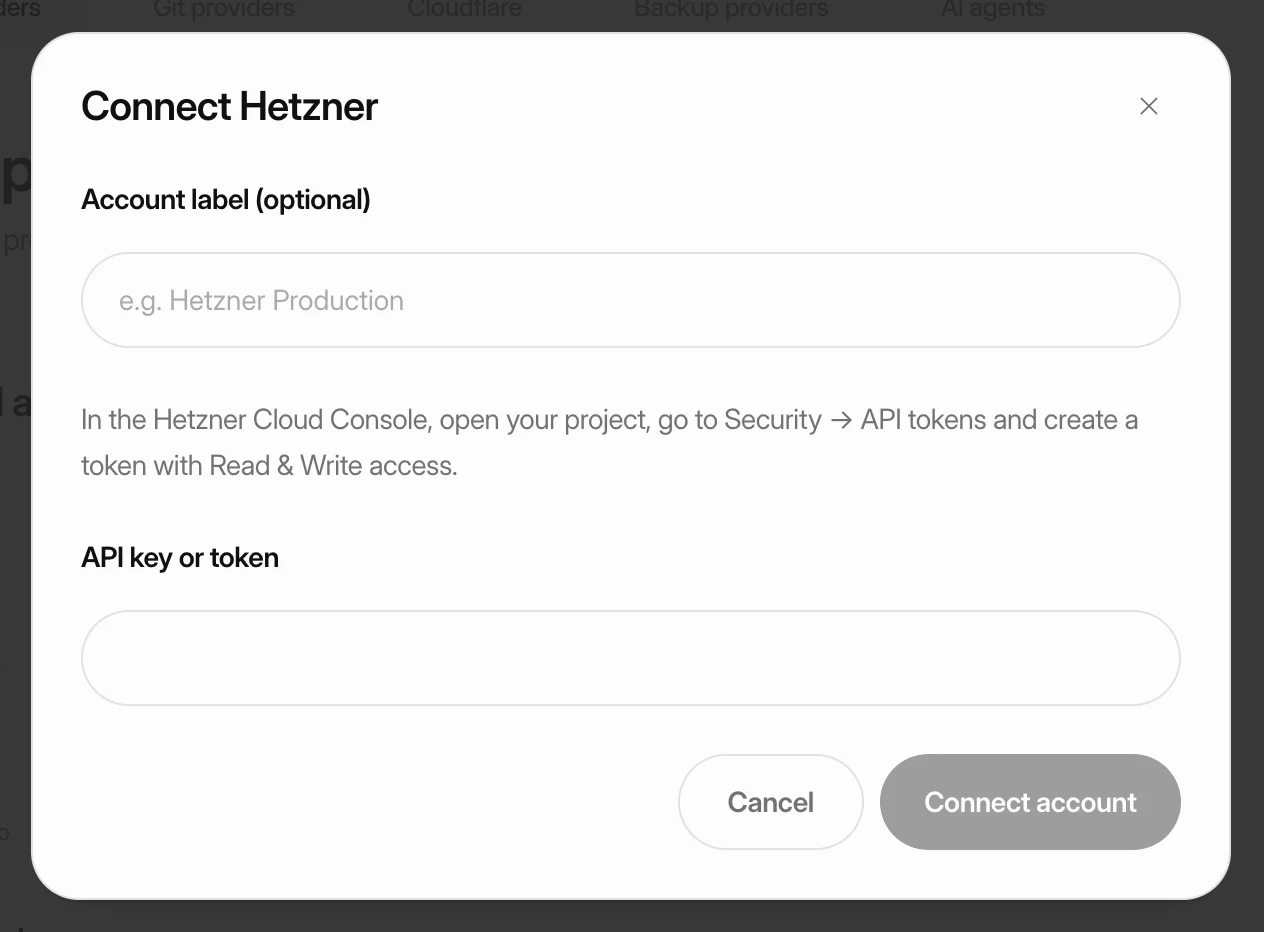
You connect an account you already have at a cloud provider, such as Hetzner, DigitalOcean, Vultr, Linode, UpCloud, Scaleway, Exoscale, AWS, Google Cloud or Contabo. Nuvlo uses that connection to create servers in your account.
When a server is created, Nuvlo installs the web server, the firewall and SSL, and keeps the server updated. You then create sites on it from the dashboard.
Your provider bills you for the server directly. Nuvlo does not add a markup to the server price.
What you can host
- WordPress, each site with its own database and Redis cache.
- Node.js apps such as Nuxt, Next.js and Express, deployed from Git.
- Headless frontends that load their content from one of your WordPress sites.
- PHP and Laravel apps, including Symfony and plain PHP.
- Static websites: plain HTML, or a Vite or Astro build.
- 1-Click apps: open-source apps such as Ghost, n8n and Nextcloud.
You can also create PostgreSQL and MariaDB databases, connect domains, back sites up to your own storage and invite your team.
What stays yours
The servers live in your cloud account, and backups go to storage you connect. Visitors reach your server directly, not through Nuvlo, so your sites keep running even when the dashboard is unreachable.
If you stop using Nuvlo, your servers stay in your provider account and keep serving your sites.
What it costs
The Free plan covers one server and one site, with no card needed. Paid plans raise the number of servers, sites and team members.
| Plan | Servers | Sites | Team members |
|---|---|---|---|
| Free | 1 | 3 | 1 |
| Starter | 10 | Unlimited | 1 |
| Pro | Unlimited | Unlimited | 5 |
| Agency | Unlimited | Unlimited | Unlimited |
Prices, lifetime licenses and what counts toward each limit are in Plans and pricing. Your provider charges for the server on top of this.
Where to start
Follow the quick start to go from a new account to a live site. It links to the detailed guide for each part.
Related guides
 Put your first site onlineConnect a cloud provider, create a server and deploy a site on it. Each step links to a detailed guide if you need more help.
- Create your accountSign up with your email address or with GitHub or Google, confirm your email and sign in. This guide also covers resetting a forgotten password and joining a team you were invited to.
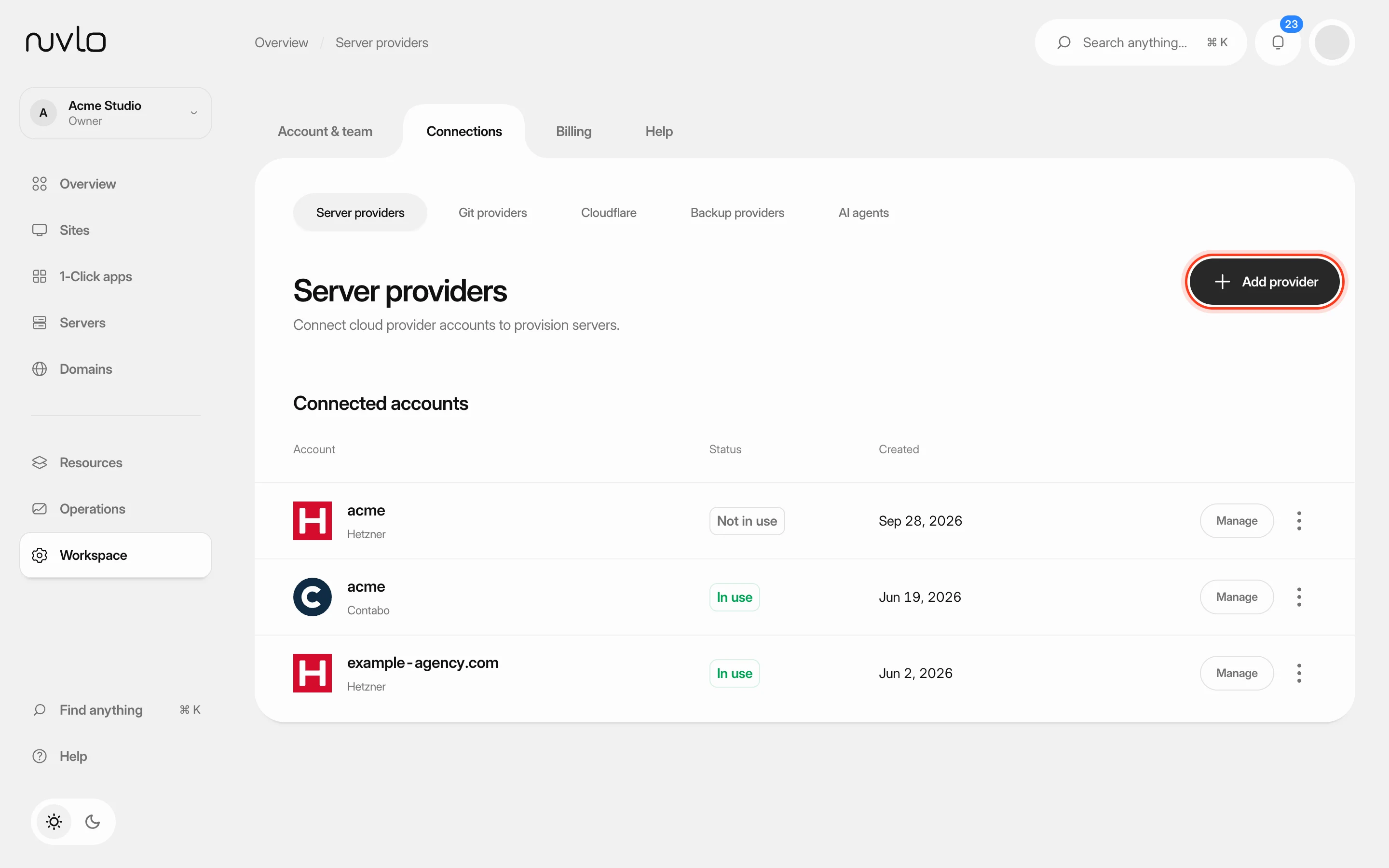 Connect a server providerConnect your own cloud account so Nuvlo can create and manage servers in it. You add an API key on the Server providers page, and Nuvlo checks it with the provider before saving it.
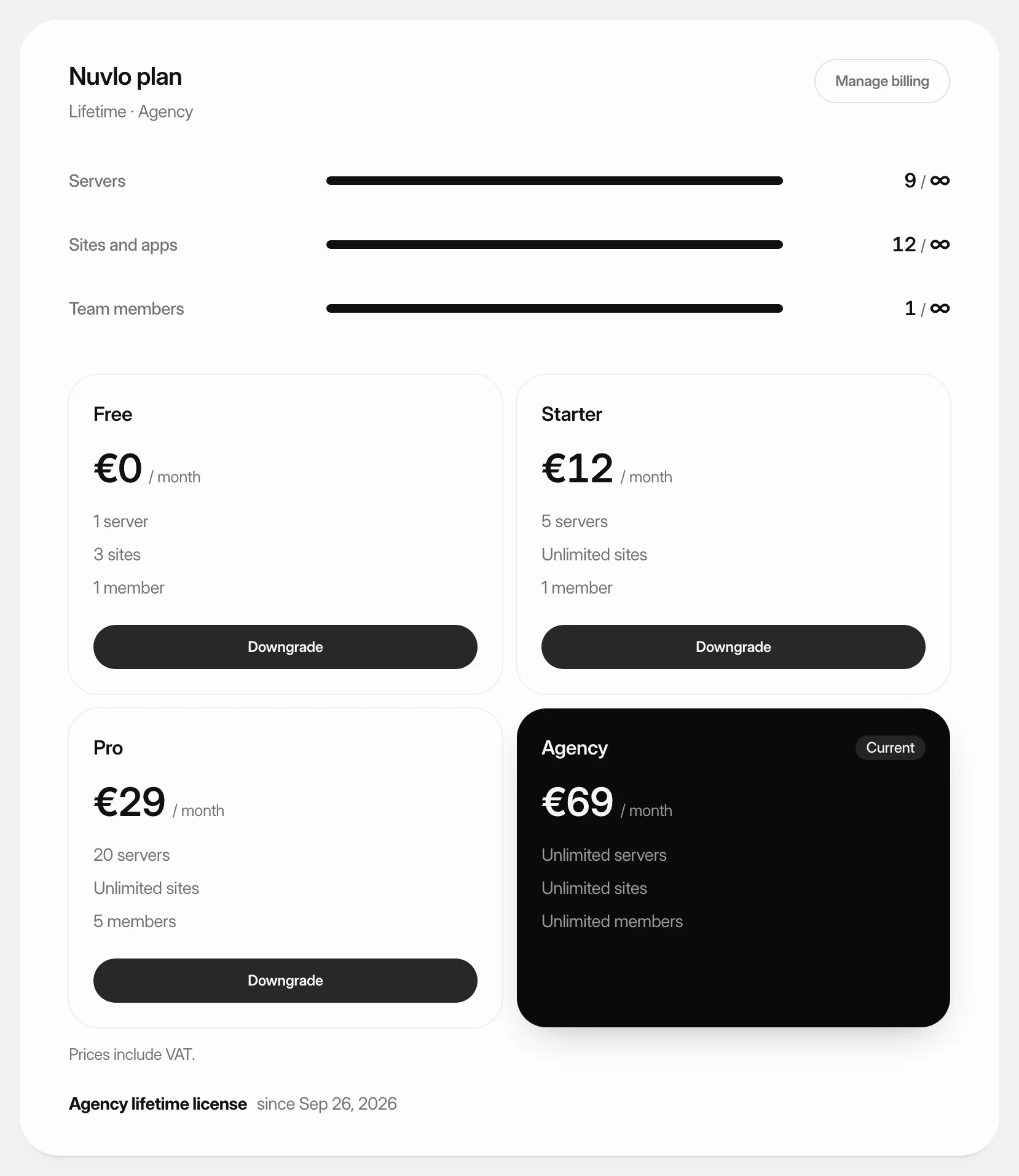 Choose or change your planPick the Nuvlo plan that fits how many servers, sites and team members you run, subscribe to it, and move up or down later.